DJM-750MK2: connection and audio troubleshooting
Model: DJM-750MK2
- Connect CDJ analog AUDIO OUT L/R to the intended channel LINE inputs, not PHONO, and select LINE.
- Use MASTER 1 XLR or MASTER 2 RCA to suitable speaker LINE inputs. BOOTH has its own level control.
- For USB audio with a computer, consult the official driver and settings-utility requirements for the target OS.
- For recording, match the utility USB send signal with recorder input channels; trace channel, master and recording meters.
- CDJ PRO DJ LINK networking and this mixer's USB audio are separate paths; LAN alone does not establish control or recording.
Explore specific symptoms
- No sound
- Decks appear on the wrong mixer channels
- Recording is silent or unavailable
- PRO DJ LINK cannot find players or computer
Official source and scope
DJM-750MK2 — manufacturer documentation
Documentation reviewed 2026-10-18. Settings vary by OS, software and driver release. Hardware outcomes are unverified.
Read validation scopeReviewed ports for this model
- Output
- RCA L/R (two channels) · MASTER 2 L/R
- Input
- RCA L/R (two channels) · CH1 LINE L/R
For PHONO use, match the input selector and turntable output level. Do not feed a LINE source into PHONO.
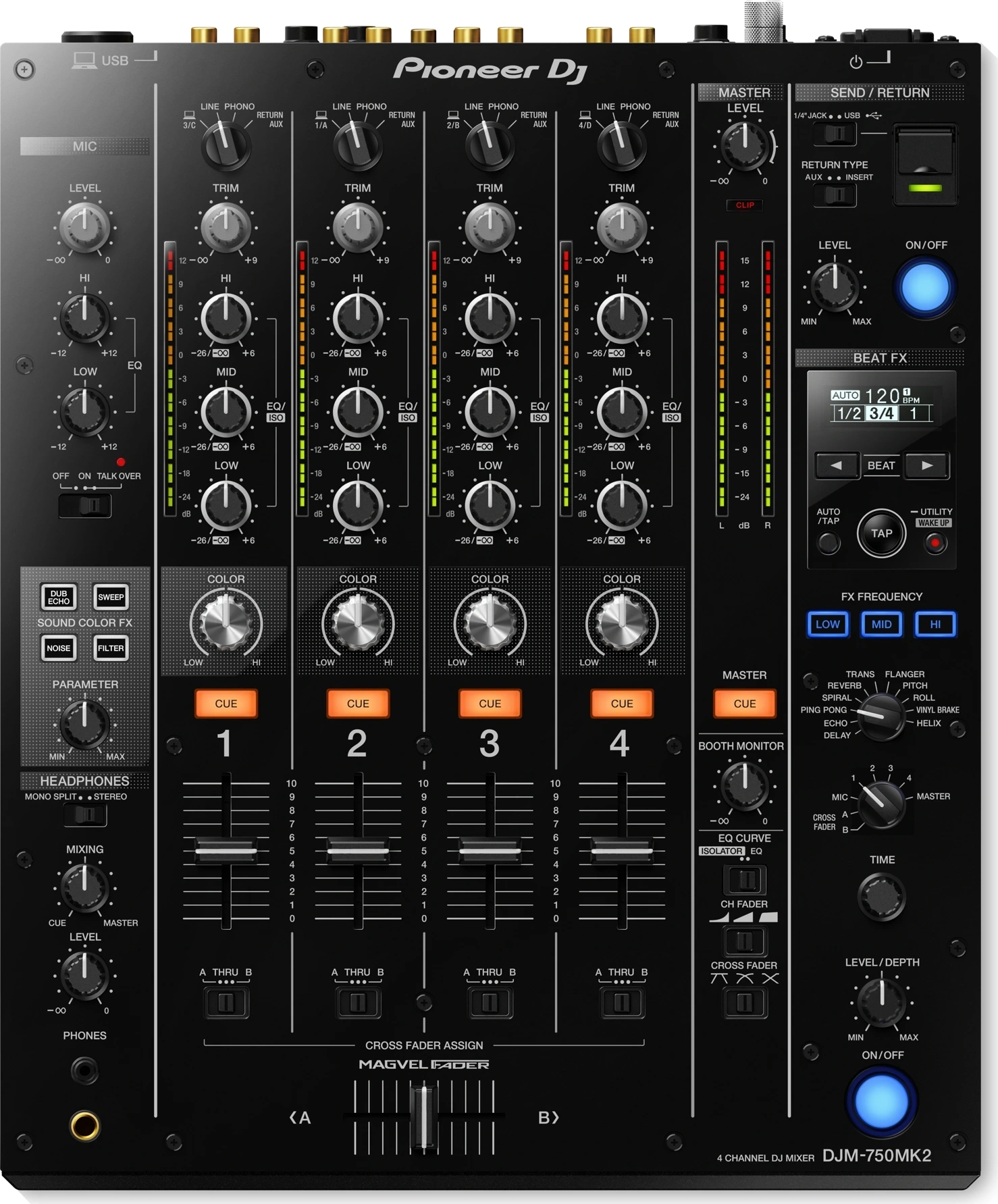
This table describes representative paths registered for the stereo analog guide, not all ports, USB/digital functions or OS compatibility.